
If you sit for long hours — whether at a desk, in your car, or on the couch — your lower back is probably paying the price. Over time, prolonged sitting places constant pressure on the lumbar spine, tightens your hip flexors and hamstrings, and weakens the core muscles that support your posture. This combination can lead to stiffness, aching, and even sharp pain that makes it harder to focus at work, relax at home, or enjoy everyday activities without discomfort. Using the right lumbar support can dramatically reduce strain, improve posture, and help you feel more comfortable throughout the day.
This guide breaks down what lumbar support actually does, who needs it, and how to choose the right one for your setup. For more ways to improve, see our ergonomic and sleep support resources.
What Is Lumbar Support (And Why It Matters)?
Your lumbar spine is the natural inward curve in your lower back. When you sit without support, that curve flattens, increasing pressure on your spinal discs and surrounding muscles.
Proper lumbar support:
- Maintains your natural spine curve
- Reduces lower back strain
- Improves posture
- Decreases hip pressure
- Helps prevent long-term discomfort
If you’ve ever felt stiff, sore, or achy after sitting too long, poor lumbar support is often the culprit.
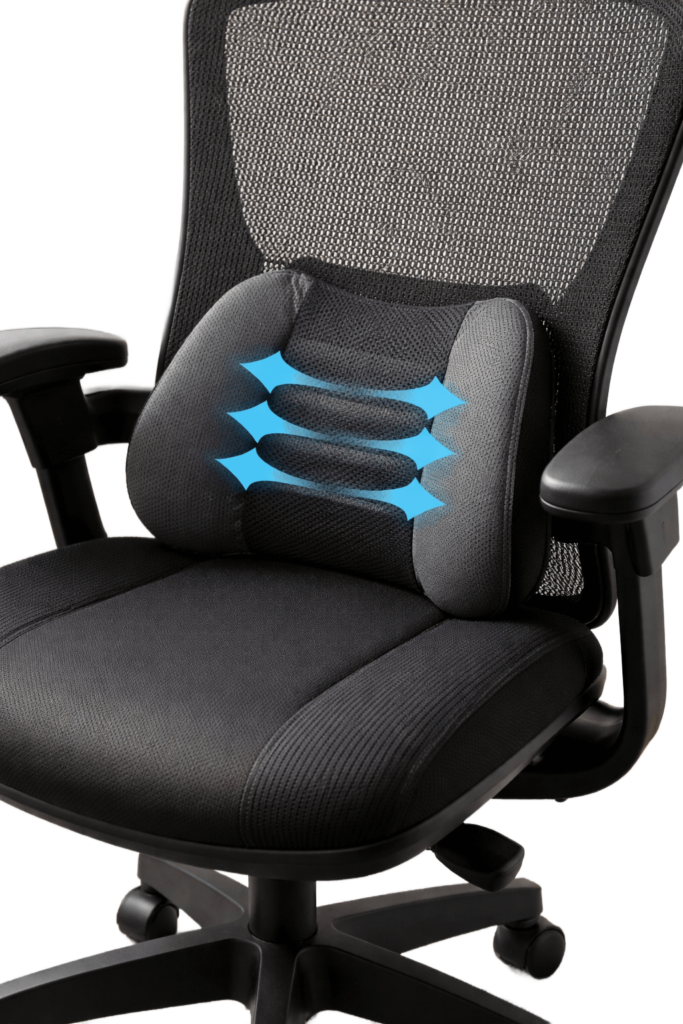
Signs You Need Better Lumbar Support
You may benefit from lumbar support if:
- Feeling lower back pain after sitting
- You slouch without realizing it
- Shifting positions constantly to get comfortable
- Experiencing hip tightness
- You work at a desk 6+ hours per day
Even mild discomfort can become chronic if your sitting posture isn’t supported properly.
Types of Lumbar Support
1️⃣ Lumbar Support Cushions
Best for office chairs, dining chairs, or car seats.
These memory foam cushions strap onto your chair and fill the gap between your lower back and the seat.
Great for:
- Home office setups
- Office workers
- Drivers
- Temporary ergonomic upgrades
2️⃣ Ergonomic Office Chairs
High-quality ergonomic chairs include built-in adjustable lumbar support.
Look for:
- Adjustable height
- Adjustable depth
- Firm but comfortable support
- Breathable material
This is ideal if you sit full-time and want a long-term solution.
3️⃣ Car Lumbar Cushion
If you commute often, your car seat may not properly support your lower spine. A compact lumbar cushion can reduce driving-related back pain and improve comfort on long trips.
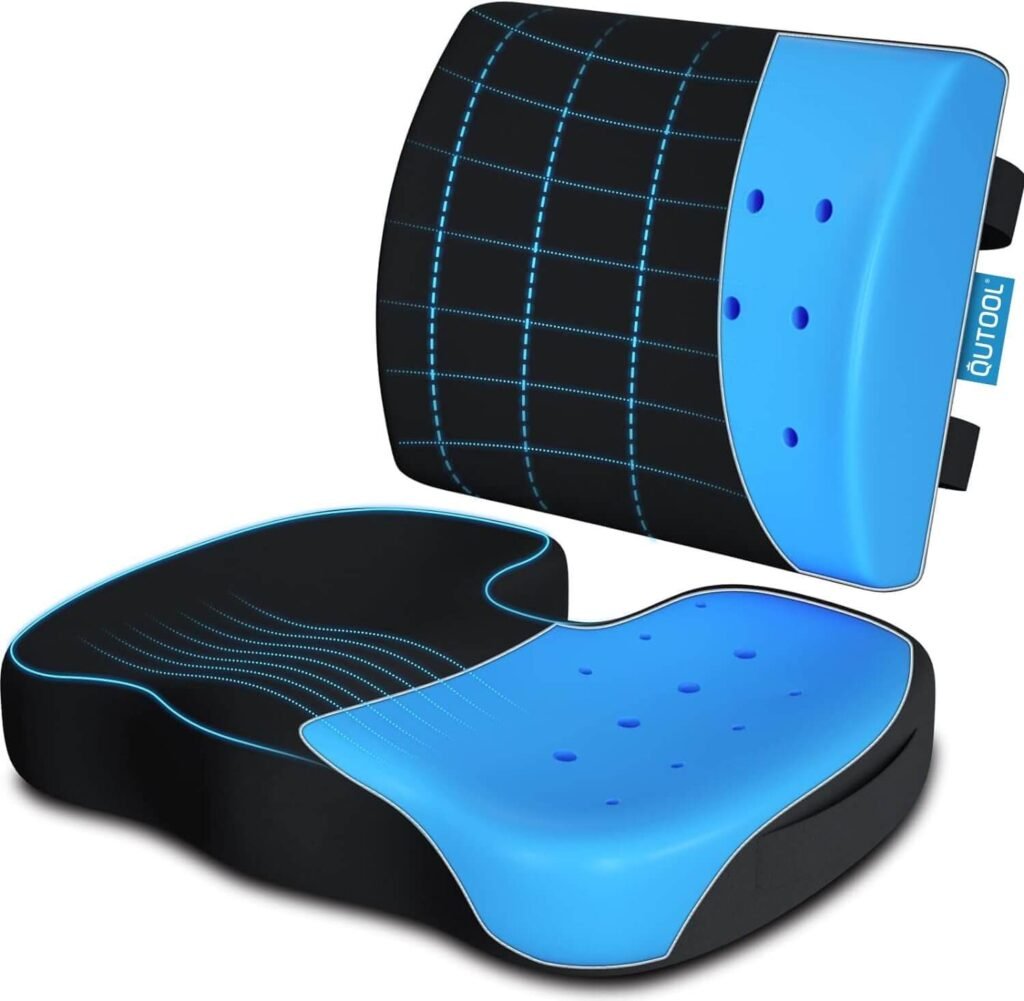
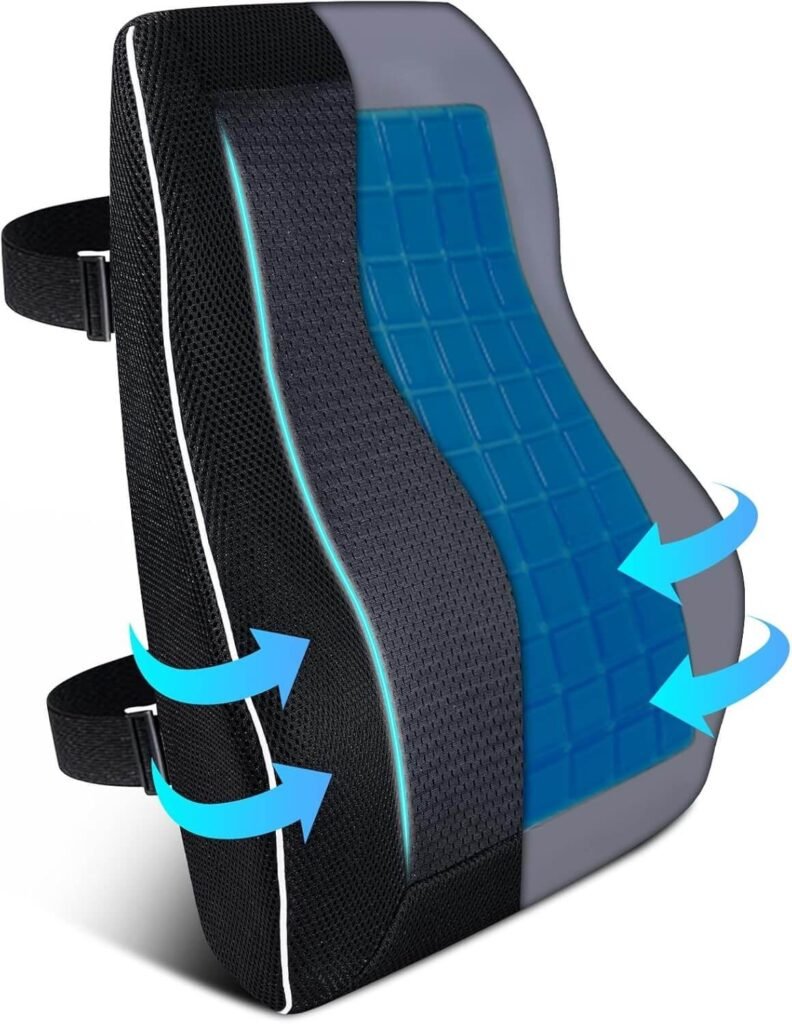
How to Choose the Right Lumbar Cushion
Here’s what actually matters (and what most people tend to overlook) when choosing lumbar support:
- How well it maintains your natural lower back curve instead of simply adding bulk behind you.
- The quality and density of the foam so that it doesn’t flatten out after a few weeks of use
- Whether it can be adjusted up or down to match your unique spine shape and height.
- The overall size and thickness should fill the space between your back and the chair without pushing you too far forward.
- The breathability of the cover material affects heat buildup and all‑day comfort.
- It attaches securely to your chair or car seat, so it doesn’t slide out of place every time you move.
- Whether it works with your existing chair setup, instead of forcing you into an awkward position.
Focusing on these details helps you choose lumbar support that genuinely improves posture and reduces lower back pain, rather than just looking ergonomic on the surface.
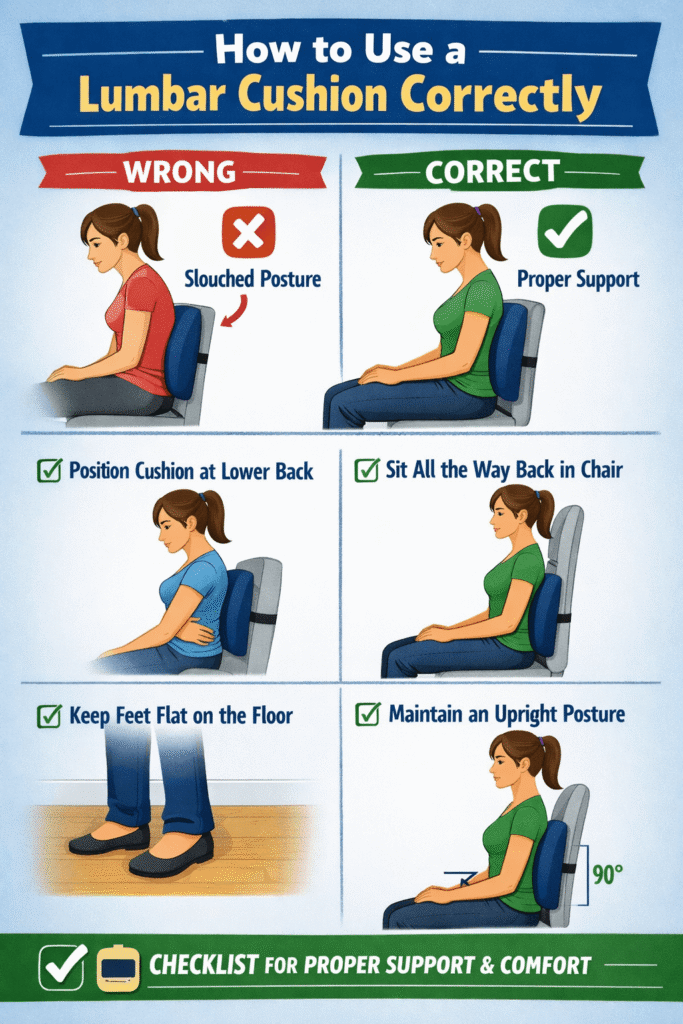
How to Use a Lumbar Cushion Correctly
Even the best cushion won’t help if your overall setup is off. Your chair height, desk position, screen level, and the way you sit all work together. If your monitor is too low, your feet don’t reach the floor, or your hips are tilted backward, your spine will still be under strain, no matter how good the cushion is. To get real relief, you need a supportive cushion plus a properly adjusted chair, neutral hip and knee angles, and a screen positioned at eye level so your neck and shoulders can relax. Follow this posture checklist:
- Feet flat on the floor (or on a foot rest)
- Knees at a 90-degree angle
- Hips slightly higher than knees
- Shoulders relaxed
- Screen at eye level
Lumbar support works best when combined with a proper ergonomic desk setup.
Common Mistakes to Avoid
Leaning Too Far Back in Your Chair:
Leaning too far back in your chair might feel comfortable at first, but it quickly takes your spine out of a healthy, neutral position. When you recline too much:
- Your lower back can lose contact with the lumbar support, so your spine is no longer properly supported.
- Your pelvis may roll backward, flattening the natural curve in your lower back and increasing pressure on the discs.
- Your neck often has to crane forward to see the screen, which adds strain to your upper back and shoulders.
Ideally, your chair should be reclined only slightly, with your back firmly supported and your hips slightly higher than your knees. You want to feel like your body is stacked — ears over shoulders, shoulders over hips — rather than slumped or “hammocking” into the chair. If you prefer a mild recline, make sure your lumbar cushion stays snug against your lower back and adjust your monitor so you can see it clearly without jutting your head forward.
Placing the lumbar support too low:
When your lumbar support sits too low, it pushes against the top of your pelvis instead of the natural curve of your lower back. This can actually worsen your posture rather than improve it. Here’s what tends to happen:
- Your pelvis tilts backward, which flattens the natural curve in your lower spine instead of supporting it.
- Your upper body may lean forward to compensate, increasing strain on your mid-back, neck, and shoulders.
- You might feel pressure or soreness at the very base of your spine or around your tailbone instead of gentle, even support across your lower back.
To fix this, slide the lumbar cushion up so it sits in the small of your back — roughly at the level of your belt line or just above it for most people. You should feel the support nestle into the natural inward curve of your spine, not jam into your hips. When it’s in the right spot, you’ll notice that you can sit upright with less effort, and your shoulders and neck can relax without you feeling like you’re “holding yourself up.”
Crossing your legs for long periods:
Crossing your legs may feel relaxed or natural, but staying in that position for too long can quietly throw your whole posture out of alignment. When one leg is crossed over the other:
- Your pelvis tilts and rotates to one side, which twists your lower spine out of a neutral position.
- One hip ends up higher than the other, creating uneven pressure through your lower back and sacroiliac joints.
- The muscles on one side of your hips and lower back work harder to keep you upright, while the other side can become overstretched and weakened over time.
- Blood flow can be restricted in the crossed leg, which may lead to numbness, tingling, or a “pins and needles” feeling.
Over hours and days, this asymmetry can contribute to lower back pain, hip tightness, and even discomfort in your knees and ankles. It also makes it harder for your lumbar support to do its job, because your spine is no longer stacked evenly over your hips.
Instead of crossing your legs:
- Keep both feet flat on the floor or on a footrest.
- If you like a slight change in position, alternate gently between placing feet flat and lightly staggering one foot a bit forward — while keeping your hips facing straight ahead.
- Take short standing or walking breaks every 30–60 minutes to reset your posture and restore circulation.
If you notice you automatically cross your legs, treat it as a cue: uncross, reset your posture with your hips square, feet grounded, and lower back supported, then stand up and move around when you can.
Does Lumbar Support Really Work?
Yes—when it’s used correctly.
When positioned properly, lumbar support helps your spine maintain its natural S‑shape instead of collapsing into a C‑shape against the backrest. This reduces excessive rounding in your lower back and prevents the small joints, discs, and surrounding soft tissues from taking on more pressure than they’re designed to handle. If your lower back pain continues at night, you may also benefit from a knee pillow for side sleepers, which helps maintain spinal alignment while you sleep.
Good lumbar support works in a few key ways:
- Reduces spinal compression: By supporting the natural curve of your lower back, it helps distribute your body weight more evenly across the spine. This takes pressure off your lumbar discs and joints, especially during long periods of sitting.
- Decreases muscle fatigue: When your lower back isn’t supported, your muscles have to work overtime to hold you upright. Over time, they tire out, leading to slumping, stiffness, and discomfort. Proper support allows these muscles to relax and work more efficiently.
- Encourages healthier posture habits: A well‑placed lumbar cushion or built‑in support serves as a gentle reminder to sit upright. You’re less likely to slide forward, perch on the edge of your seat, or round your shoulders when your lower back feels “anchored” in a comfortable position.
While lumbar support isn’t a cure for underlying medical conditions like herniated discs, spinal stenosis, or significant structural issues, it can still provide meaningful relief for many people. It’s especially helpful if your back pain is related to poor posture, long hours at a desk, or sitting in a chair that doesn’t match the natural shape of your spine.
For most people who sit for extended periods—whether at a computer, in a car, or on the couch—lumbar support is one of the simplest, most cost‑effective upgrades you can make. When combined with regular movement breaks and a well‑adjusted chair setup, it can significantly improve comfort, reduce end‑of‑day soreness, and help protect your back over time.
See our top recommendations to find options that match different body types, chairs, and budgets.
See our top recommendations.
Final Thoughts: Is Lumbar Support Worth It?
If you sit at work every day, the answer is almost always yes — but the reason why matters. Long hours at a desk gradually wear down your lower back, even if your pain isn’t severe yet. Every day you spend sitting without proper support can lead to stiffness, more fatigue, and greater dependence on quick fixes like stretching or pain relievers.
By adding lumbar support now, you’re not just chasing comfort in the moment — you’re protecting your spine, improving your posture, and making it easier to stay focused and energized throughout the day. For most people with a desk-based job, it’s one of the smallest upgrades you can make that delivers the biggest impact on how your body feels at the end of every workday.
Affiliate Disclosure
This post contains affiliate links. If you choose to purchase through them, I may earn a small commission at no additional cost to you. I only recommend products I have personally reviewed and genuinely believe will provide value.