
Most people spend hours perfecting their monitor height, chair settings, and desk layout—yet overlook one of the most important parts of their workspace: what’s happening under the desk. Your under-desk can silently determine how your body feels by the end of the day, influencing everything from circulation and posture to back pain and fatigue.
In this under-desk ergonomic setup guide, you’ll learn how to optimize leg clearance, knee angle, foot support, and cable management so your workspace supports you from the ground up. Whether you’re battling numb legs, lower back tension, or want to feel better during long work sessions, this checklist will help you create a more comfortable, efficient, and truly ergonomic setup. Want a full guide to better sleep and comfort? Check out our Sleep & Comfort Hub.
Why Your Under-Desk Setup Matters
Most people focus on what’s visible—monitors, keyboards, chairs—but ignore the foundation: leg positioning and foot support.
A well-designed under-desk space:
- Improves blood circulation
- Reduces lower back pressure
- Prevents leg numbness and swelling
- Encourages proper posture
- Enhances long-term comfort during long work sessions
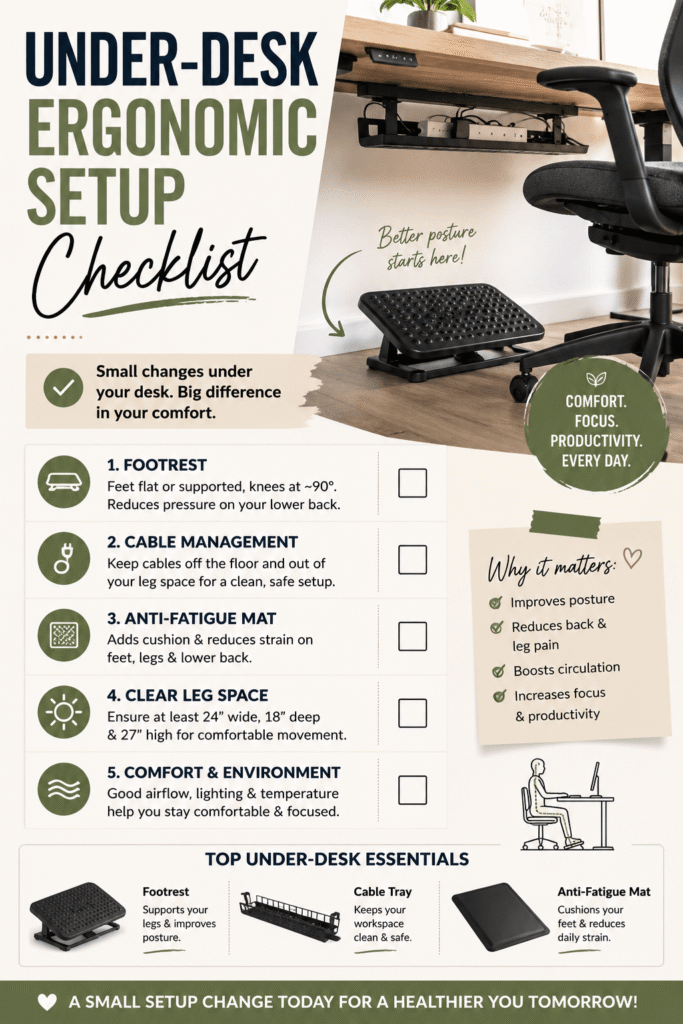
✅ Under-Desk Ergonomic Setup Checklist
1. Adequate Leg Clearance
Your legs need room to move naturally so your joints aren’t compressed, your circulation stays healthy, and you can shift positions throughout the day without bumping into the desk, chair base, or storage items. When your legs have enough space, you’re less likely to twist your hips, lean forward, or tuck your feet under the chair—habits that often lead to tension in your lower back, knees, and hips over time. See our office comfort & pain-relief guide.
Checklist:
- At least 24 inches (61 cm) of width
- At least 18–20 inches (46–51 cm) of depth
- No clutter (boxes, cables, storage bins)
👉 Tip: If you feel restricted, you’ll unconsciously adjust your posture—usually for the worse.
2. Proper Knee Angle (90–100 Degrees)
Your knees should be level with or slightly lower than your hips, allowing your legs to rest in a natural position that supports better posture, reduces strain on your lower back, and encourages healthier circulation throughout the day.
Checklist:
- Thighs parallel to the floor
- Knees not pressed into the desk underside
- No sharp angles or excessive bending
👉 Why it matters: This reduces strain on your hips and improves circulation.
3. Feet Flat on the Floor (or Supported)
Your feet should never dangle while you sit at your desk.
Checklist:
- Feet fully resting on the ground
- Ankles in a neutral position
- No pressure points on heels
👉 If your chair is too high, this is where problems start.
4. Use a Footrest (If Needed)
A footrest is one of the most underrated ergonomic tools, yet it can make a noticeable difference in daily comfort. Supporting your feet and encouraging better leg positioning helps improve posture, reduce lower back strain, and promote healthier circulation during long hours at your desk.
When you need one:
- Your feet don’t touch the floor
- You feel pressure under your thighs
- You experience leg fatigue
Benefits:
- Improves posture alignment
- Reduces lower back strain
- Encourages subtle movement
5. Keep Frequently Used Items Within Reach
Avoid stretching or twisting under your desk to reach items, as these repeated awkward movements can place unnecessary strain on your lower back, hips, and knees. Keeping frequently used items within easy reach helps you maintain a more natural posture, reduce tension, and move more comfortably throughout the day.
Checklist:
- CPU placed safely to the side (not blocking legs)
- Power strips mounted or tucked away
- Easy drawer access without bending awkwardly
👉 Less strain = fewer micro-injuries over time.
6. Cable Management (Declutter Your Space)
Messy cables aren’t just ugly—they can also restrict movement under your desk, reduce valuable leg space, and create unnecessary distractions. When cords are tangled or left in the way, they can interfere with foot placement, limit comfortable repositioning, and make your workspace feel more cramped and cluttered.
Checklist:
- Use cable trays or clips
- Keep cords away from feet
- Avoid tangled wires near leg space
👉 A clean space improves both comfort and focus.
7. Encourage Movement
Staying still for too long is one of the biggest ergonomic mistakes because prolonged sitting in the same position can reduce circulation, increase stiffness, and cause discomfort throughout your body.
Checklist:
- Shift positions every 30–60 minutes
- Stretch your legs regularly
- Use a rocking or adjustable footrest
👉 Movement = better circulation + less stiffness.
8. Temperature & Comfort
Cold feet? Sweaty legs? Temperature discomfort under your desk may seem minor, but it can affect focus, circulation, and overall comfort throughout the day.
Checklist:
- Keep the area ventilated
- Avoid direct contact with cold floors
- Consider a soft mat or rug if needed
Common Under-Desk Ergonomic Mistakes
Avoid these at all costs:
❌ Crossing legs for long periods
❌ Sitting on one foot
❌ Tucking feet under the chair
❌ Letting feet dangle
❌ Storing items that block leg movement
These habits may feel comfortable in the short term, but can lead to chronic pain.
Under-Desk Setup (Quick Summary)
- ✔ Knees at 90–100° angle
- ✔ Feet flat or supported
- ✔ Clear leg space (no clutter)
- ✔ Footrest if needed
- ✔ Cables organized
- ✔ Room to move freely
Under Desk Ergonomic Setup – Recommended Products
1. Best Footrests (Fix Posture + Reduce Back Pain)
A footrest helps maintain a 90° leg angle, reduces lower back pressure, and improves circulation—especially if your feet don’t reach the floor comfortably. (DeskBreak)
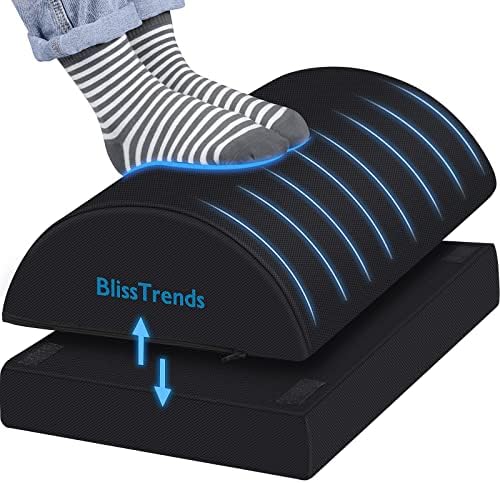

Top Pick: Bliss Trends Foot Rest
- Budget-friendly
- Adjustable height for proper knee alignment
- Non-slip surface keeps feet stable
👉 Best for: Most users starting their ergonomic setup
2. Cable Management (Declutter Your Leg Space)
Clutter under your desk restricts leg movement and forces awkward posture adjustments—one of the most overlooked ergonomic issues.


Best Overall: No-Screw Under Desk Cable Tray
- Keeps wires off the floor
- Easy installation
- Clean, professional look
3. Anti-Fatigue Mats (Comfort + Circulation Boost)
Anti-fatigue mats reduce pressure on your legs and improve blood flow—especially useful if you alternate between sitting and standing.
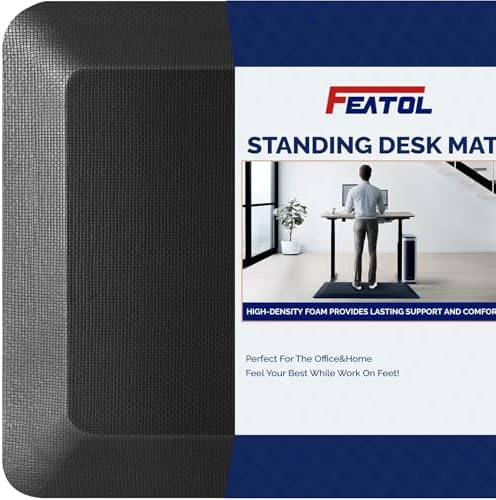

Best Value: FEATOL Anti-Fatigue Mat
- Cushioned support for feet and joints
- Non-slip surface
- Ideal for sitting or standing desks
Want to Improve Your Full Setup?
Consider pairing this with:
Final Thoughts
A perfect ergonomic setup doesn’t stop at your desk surface—it extends below it. Fixing your under-desk setup can dramatically improve comfort, reduce pain, and help you stay productive longer without fatigue. If you’re serious about building a pain-free workspace, don’t skip this step—it’s often the missing piece.
Explore our ultimate lumbar support guide for practical tips on how to reduce lower back pain at work and home.
Affiliate Disclosure: This post may contain affiliate links, which means we may earn a small commission if you purchase through these links at no additional cost to you. We only recommend products we genuinely believe may improve comfort, ergonomics, and productivity. As an Amazon Associate, Cozy Living Lab may earn from qualifying purchases.