
Nevertheless, working from home has become the new normal for millions of people. While skipping the commute is a major benefit, spending eight or more hours at an uncomfortable desk can quickly lead to neck and back pain, sore wrists, headaches, and reduced productivity. Moreover, a few carefully chosen comfort essentials can transform your workspace into an ergonomic, healthy, and productive environment.
Whether you’re working remotely full-time or just a few days a week, here’s everything you need to build the perfect home office. For a complete guide to sleep and everyday comfort, see our Sleep & Comfort Hub.
Why Comfort Matters When Working from Home
A poor workstation affects more than your posture—it can impact your comfort, focus, energy levels, and overall productivity throughout the day. When your desk, chair, screen, or accessories aren’t set up properly, your body has to work harder to stay comfortable, often leading to aches and fatigue. See our guide to office comfort & pain relief
Common problems include:
- Lower back pain
- Neck stiffness
- Shoulder tension
- Wrist discomfort
- Eye strain
- Fatigue
- Reduced focus
Improving your workspace can help you:
- Increase productivity
- Stay focused longer
- Reduce aches and pains
- Improve posture
- Feel more energized throughout the day
Think of your home office as an investment in your health—not just your work.
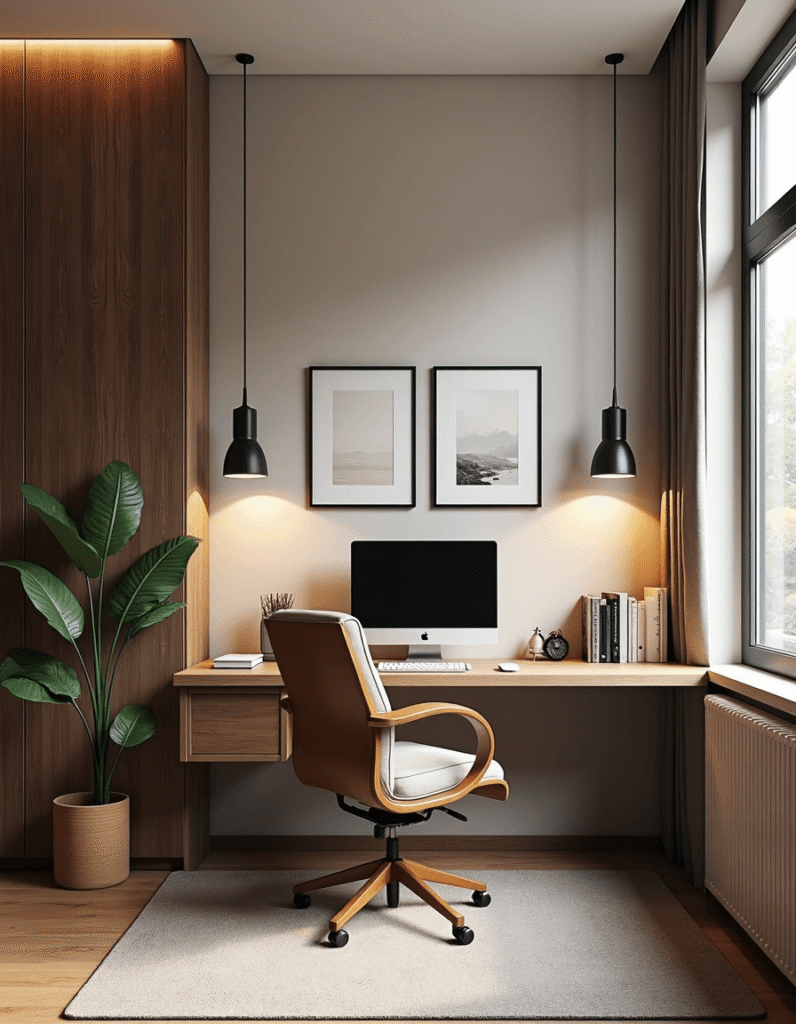
1. An Ergonomic Office Chair
An ergonomic office chair is the foundation of every comfortable workspace because it supports your body during long hours of sitting and helps prevent discomfort before it starts. A well-designed chair can improve posture, reduce strain on your lower back, and make it easier to stay focused throughout the workday.
Look for features like:
- Adjustable seat height
- Lumbar support
- Adjustable armrests
- Breathable mesh back
- Reclining function
- Comfortable seat cushion
A supportive chair encourages proper spinal alignment and reduces pressure on your lower back.
Best for:
- Remote workers
- Freelancers
- Students
- Gamers
A Height-Adjustable Standing Desk
Alternating between sitting and standing throughout the day helps keep your muscles engaged, encourages better circulation, and reduces the prolonged pressure that builds up on your spine when you stay in one position for too long. This simple habit can make long workdays feel more comfortable.
Benefits include:
- Better circulation
- Improved posture
- More energy
- Less lower back discomfort
- Increased calorie burn
Aim to alternate positions every 30–60 minutes for maximum comfort.
3. A Supportive Seat Cushion
Even a high-quality office chair can start to feel uncomfortable after several hours of sitting, especially if it lacks enough cushioning or support for your body. Over time, pressure can build up around your hips, tailbone, and lower back, making it harder to stay focused and comfortable throughout the workday.
Memory foam seat cushions help:
- Relieve tailbone pressure
- Improve posture
- Reduce hip pain
- Increase sitting comfort
They’re also an affordable upgrade if replacing your chair isn’t in the budget.
4. Lumbar Support Pillow
Many office chairs lack proper lower back support, especially standard dining chairs or basic desk chairs not designed for long hours of sitting. Without enough lumbar support, your lower spine can lose its natural curve, which may lead to stiffness, poor posture, and lower back discomfort over time.
A lumbar cushion helps maintain the natural curve of your spine while reducing muscle fatigue. See our ultimate lumber support guide.
Ideal for:
- Office chairs
- Dining chairs
- Car seats
- Travel
5. Ergonomic Keyboard & Mouse
Traditional keyboards and mice can strain your wrists after hours of typing, especially when they force your hands into awkward positions. Over time, this can lead to discomfort and stiffness, making it harder to work comfortably throughout the day.
Ergonomic designs promote a more natural hand position and help reduce repetitive stress.
Look for:
- Split keyboards
- Vertical mice
- Wrist support
- Wireless connectivity
6. Monitor Stand or Adjustable Monitor Arm
Your monitor should be positioned at eye level so you can look straight ahead without tilting your head up or down. If the screen sits too low, you’ll naturally lean forward or crane your neck, which can lead to unnecessary neck and upper back pain over time. A monitor stand or adjustable arm can help raise your screen to a more comfortable height while also freeing up desk space.
Benefits include:
- Better posture
- More desk space
- Reduced neck pain
- Improved viewing angle
7. Laptop Stand
Working directly from a laptop often forces you to hunch over because the screen sits too low and the keyboard keeps your arms in a cramped position. Over time, this can lead to neck strain, rounded shoulders, and upper back discomfort.
A laptop stand raises your screen to eye level, helping you sit more upright and maintain better posture throughout the day. This simple and affordable upgrade can make a big difference in your comfort, posture, and overall work-from-home setup.
8. Footrest
Your feet should rest flat on the floor with your knees bent at about a 90-degree angle. This position helps support healthy posture, reduces pressure on your hips and lower back, and keeps your legs more comfortable during long periods of sitting.
If they don’t, a footrest can help:
- Improve circulation
- Reduce leg fatigue
- Support a healthy sitting posture
- Ease pressure on your hips
Many adjustable footrests even include massage rollers.
9. Blue Light Glasses
Hours of staring at a screen can contribute to digital eye strain, especially when you work for long periods without breaks, making it harder to stay comfortable and productive throughout the day.
Blue light glasses may help reduce:
- Eye fatigue
- Headaches
- Dry eyes
- Screen glare
Pair them with the 20-20-20 rule:
Every 20 minutes, look at something 20 feet away for 20 seconds.
10. Desk Lamp
Poor lighting forces your eyes to work harder, which can lead to eye strain, headaches, fatigue, and reduced focus over time. A well-lit workspace makes it easier to read, view your screen comfortably, and stay productive throughout the day.
Choose an LED desk lamp with:
- Adjustable brightness
- Warm and cool light settings
- Flicker-free illumination
- Flexible positioning
Proper lighting improves comfort and concentration.
11. Noise-Canceling Headphones
Whether it’s barking dogs, noisy neighbors, doorbells, deliveries, or family activity in the background, distractions are a normal part of working from home. Even small interruptions can break your focus, make it harder to stay productive, and create challenges during video calls or deep work sessions. That’s why creating a quieter, more controlled workspace can make a big difference in your overall comfort and concentration.
Noise-canceling headphones can help you:
- Stay focused
- Improve concentration
- Block background noise
- Enhance virtual meetings
12. Cable Management Accessories
Nothing makes a workspace feel as chaotic or distracting as tangled cords running across your desk, behind your monitor, or under your workstation. Loose cables can make even a well-designed home office look messy, create unnecessary clutter, and make it harder to clean or rearrange your setup. They can also get in the way while you work, making your space feel less organized and less comfortable overall.
Cable organizers help:
- Keep desks tidy
- Prevent accidental unplugging
- Improve organization
- Make cleaning easier
Small improvements can make your workspace feel significantly more professional.
13. Desk Organizer
A clutter-free workspace promotes a clutter-free mind by reducing visual distractions and helping you stay focused on the task. When your desk is organized and only the essentials are within reach, it becomes easier to think clearly, work efficiently, and feel more in control of your day. See our complete guide to the under-desk ergonomic setup checklist
Useful organizers include:
- Pen holders
- Document trays
- Drawer organizers
- Charging stations
- Cable boxes
Keeping frequently used items within reach reduces distractions.
14. Indoor Plants
Plants do more than decorate your office — they help create a calmer, more inviting workspace, making your home office feel fresher and more comfortable. Adding a few low-maintenance indoor plants can bring natural color to your desk. Even a small plant can improve the overall atmosphere, helping your workspace feel more peaceful, personal, and enjoyable to spend time in throughout the day.
They can:
- Create a calming atmosphere
- Improve mood
- Add color
- Make your workspace feel more inviting
Easy-care options include:
- Snake Plant
- Pothos
- Z Z Plant
- Spider Plant
15. Water Bottle & Coffee Mug Warmer
Staying hydrated can help improve concentration, boost energy levels, and keep you feeling more focused throughout the workday.
A large insulated water bottle and a mug warmer help keep drinks at the perfect temperature throughout the workday.
Bonus Comfort Tips
Beyond buying accessories, simple daily habits can make a huge difference in how comfortable you feel while working from home. Small workspace adjustments can help reduce stiffness, improve circulation, and keep your body feeling more supported throughout the day.
Stretch regularly
Stand up every hour and stretch your:
- Neck
- Shoulders
- Wrists
- Hamstrings
- Lower back
Maintain good posture
Keep:
- Feet flat
- Knees at 90°
- Shoulders relaxed
- Screen at eye level
Take movement breaks
Even a five-minute walk every hour improves circulation and reduces stiffness.

Recommended Home Office Setup
If you’re building your home office from scratch, start with the upgrades that will have the biggest impact on your comfort, posture, and daily productivity. Focus first on the essentials that support your body during long work hours, such as an ergonomic chair, a standing desk, an external keyboard and mouse, and proper screen positioning. Once the basics are in place, you can gradually add smaller comfort accessories like a lumbar pillow, seat cushion, footrest, desk lamp, and cable organizers to make your workspace even more efficient and enjoyable.
| Priority | Essentials | Price |
| ⭐⭐⭐⭐⭐ | Ergonomic office chair | See on Amazon |
| ⭐⭐⭐⭐⭐ | Standing desk | See on Amazon |
| ⭐⭐⭐⭐⭐ | Ergonomic keyboard & mouse | See on Amazon |
| ⭐⭐⭐⭐☆ | Monitor arm | see on Amazon |
| ⭐⭐⭐⭐☆ | Lumbar pillow | See on Amazon |
| ⭐⭐⭐⭐☆ | Seat cushion | See on Amazon |
| ⭐⭐⭐⭐☆ | Laptop stand | See on Amazon |
| ⭐⭐⭐☆☆ | Footrest | See on Amazon |
| ⭐⭐⭐☆☆ | Desk lamp | See on Amazon |
| ⭐⭐⭐☆☆ | Cable organizer | See on Amazon |
Frequently Asked Questions
What is the most important work-from-home comfort essential?
An ergonomic office chair is often the best investment because it supports your spine throughout the workday and helps reduce lower back discomfort.
Is a standing desk worth it?
For many people, yes. Alternating between sitting and standing can improve comfort, posture, and energy levels while reducing the strain of staying in one position all day.
How can I make my home office more ergonomic?
Start with proper chair height, position your monitor at eye level, use an external keyboard and mouse if you’re on a laptop, and keep your feet supported. Small adjustments often make a noticeable difference.
Final Thoughts
Creating a comfortable home office doesn’t require a complete renovation. By focusing on ergonomic essentials like a supportive chair, adjustable desk, monitor stand, and quality accessories, you can build a workspace that supports both your productivity and your long-term well-being.
Invest in the items you use every day, make gradual improvements over time, and don’t forget that regular movement, stretching, and good posture are just as important as the equipment itself.
Affiliate Disclaimer
This post may contain affiliate links. If you click through and make a purchase, Cozy Living Lab may earn a small commission at no additional cost to you. We recommend products and resources that we believe may help create a more comfortable, functional, and productive home workspace.
As an Amazon Associate, we may earn from qualifying purchases. Thank you for supporting Cozy Living Lab.