
If you spend hours sitting at a desk, you’ve probably experienced some level of discomfort — stiff shoulders, lower back pain, tired legs, or tension in your neck. Long periods of sitting can reduce circulation, tighten your muscles, and place extra pressure on your spine and joints. Over time, this can lead not only to everyday aches and pains, but also to more serious, chronic issues.
Modern work habits — such as hunching over laptops, craning toward multiple screens, or typing on poorly positioned keyboards — often place significant strain on the body. Many people don’t realize how much their chair height, monitor placement, or even the way they rest their feet can affect their comfort and long-term health.
The good news is that even small ergonomic improvements can make a meaningful difference. Simple changes, like adjusting your chair so your feet rest flat on the floor, raising your monitor to eye level, using a lumbar support cushion, or taking short standing and stretching breaks throughout the day, can help relieve tension, improve posture, and support your overall well-being at work.
This guide explains practical ways to boost office comfort, reduce strain, and help prevent common work-related aches and pains.
Want a full guide to better sleep and comfort? Check out our Sleep & Comfort Hub.
Why Office Comfort Matters
Sitting for long periods places pressure on the spine, hips, and the muscles that support your posture, which can lead to stiffness, reduced circulation, and increased strain on the joints and soft tissues that keep you upright and comfortable throughout the day
When your workspace isn’t properly set up, you may notice:
- Lower back pain
- Neck stiffness
- Shoulder tension
- Hip discomfort
- Leg fatigue
Over time, these small issues can build up into chronic discomfort. Creating a more supportive workspace helps reduce stress and body pressure while improving focus and productivity.
1. Support Your Lower Back
Your lower spine naturally curves inward. Sitting for long periods often flattens this curve, which can strain muscles and discs. Adding lumbar support helps maintain the natural shape of your spine and encourages better posture.
Helpful options include:
- Memory foam lumbar cushions
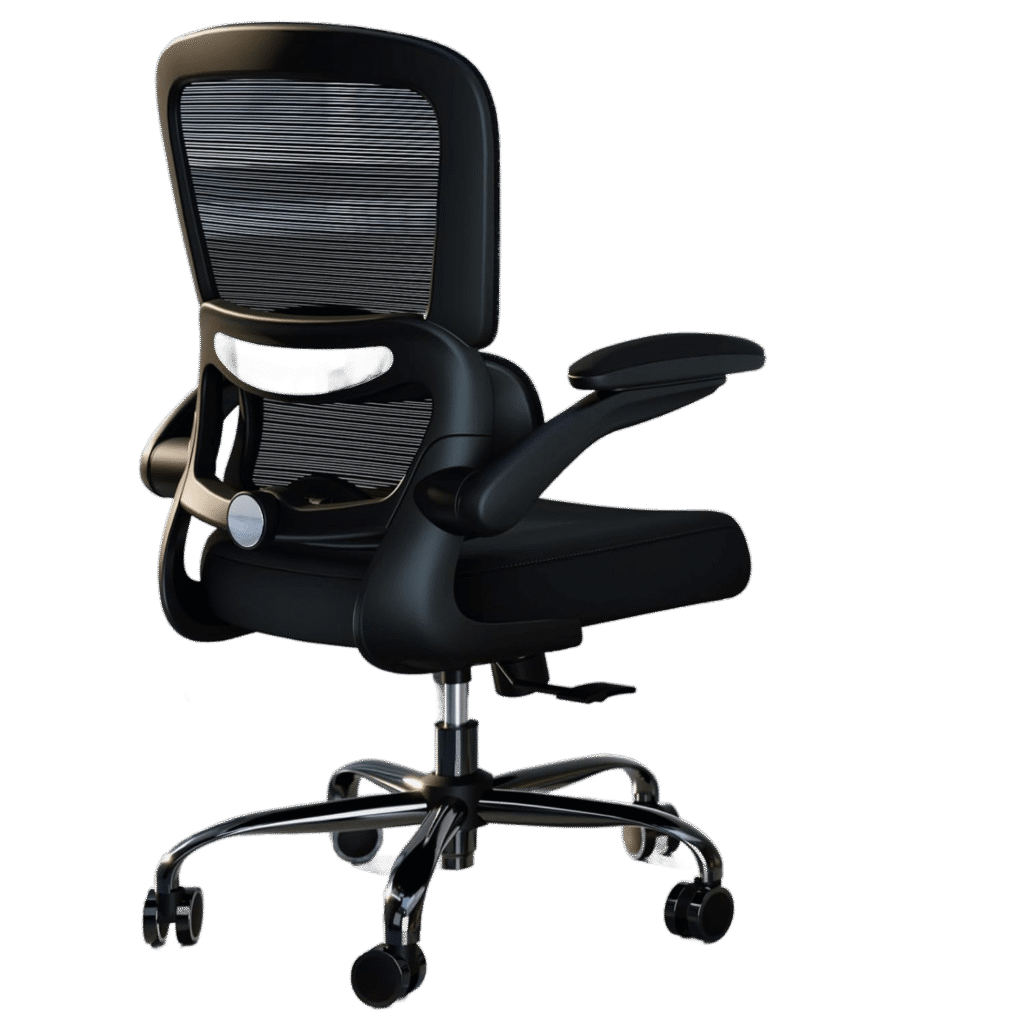
- Ergonomic office chairs with built-in support
- Adjustable back pillows
If your chair doesn’t support your lower back properly, even a small cushion can make a noticeable difference.
2. Improve Your Sitting Posture
Posture is one of the biggest factors in office comfort, influencing everything from the pressure on your spine and joints to how quickly you feel fatigued during the day. Maintaining a neutral, well-supported posture can help reduce strain on your neck, shoulders, and lower back, improve circulation, and make it easier to stay focused and productive for longer periods.
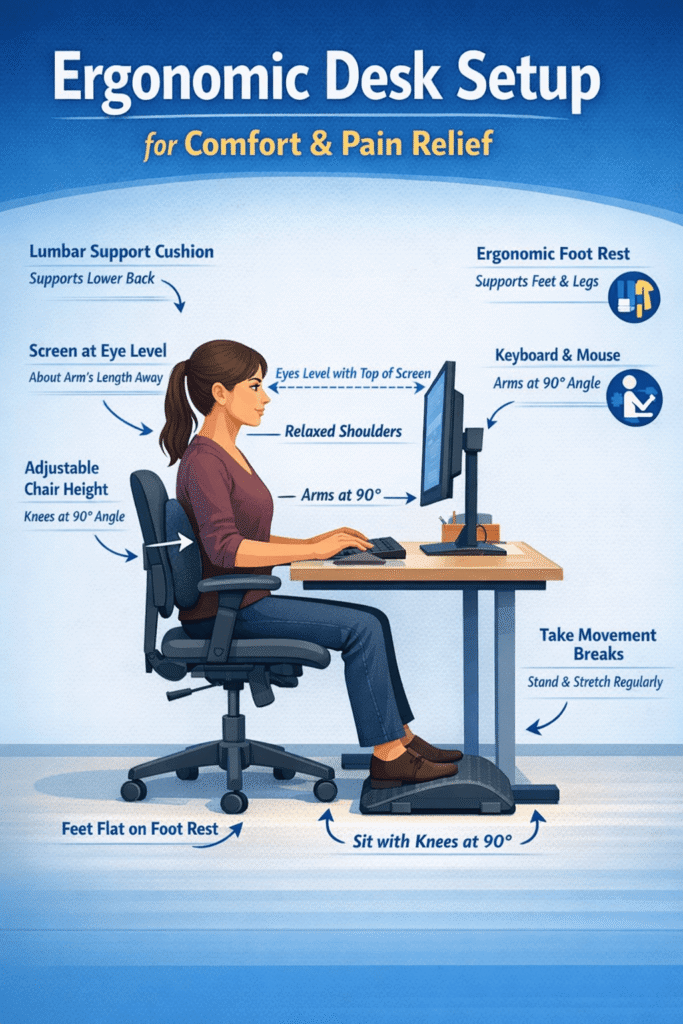
Try this simple posture checklist:
✔ Feet flat on the floor
✔ Knees at about a 90-degree angle
✔ Hips slightly higher than knees
✔ Shoulders relaxed
✔ Screen at eye level
You don’t need to sit perfectly straight all day — but maintaining a neutral posture reduces strain on the spine.
3. Use an Ergonomic Foot Rest
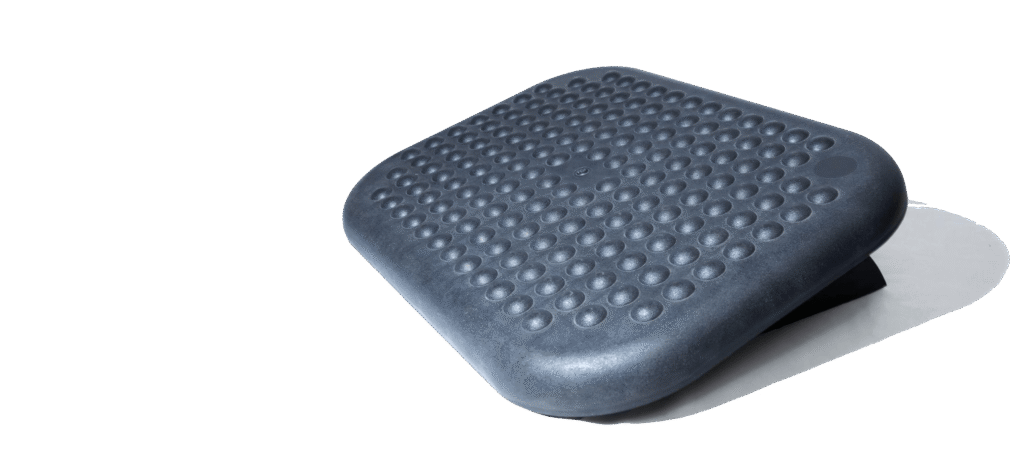
Many desks and chairs are not the right height for everyone. If your feet don’t rest comfortably on the floor, a foot rest can help support proper leg positioning, keep your knees at a healthier angle, and reduce pressure on your lower back. Over time, this can improve circulation in your legs, prevent your feet from dangling or going numb, and make it easier to maintain a more relaxed, upright sitting posture throughout the day.
Benefits of a foot rest include:
- Reduced pressure on the lower back
- Improved circulation
- Better sitting alignment
This small addition can make long workdays much more comfortable.
Reduce Neck & Shoulder Strain
Neck and shoulder pain often comes from poor monitor positioning, such as when your screen is too low, too high, or off to one side, forcing you to twist, hunch forward, or crane your neck for long periods.
Your screen should sit:
- At eye level
- About an arm’s length away
- Directly in front of you
If you constantly look down at a laptop, raising the screen or using a monitor stand can help reduce neck tension.
5. Take Movement Breaks
Even the best ergonomic setup cannot replace movement. While a supportive chair, properly positioned monitor, and ergonomic accessories can reduce strain, your body still needs regular changes in position to stay comfortable and healthy. Long, uninterrupted sitting can slow circulation, tighten muscles, and place continuous pressure on your joints, even in a well-designed workspace. Incorporating frequent movement breaks — such as standing, stretching, walking for a few minutes, or gently rolling your shoulders and ankles — helps refresh your muscles, improve blood flow, and reduce stiffness. Try to stand or move every 30–60 minutes.
Think of ergonomics as your baseline support and movement as the essential habit that keeps your body feeling its best throughout the day.
Simple ways to add movement:
- Short walks
- Gentle stretches
- Standing while taking calls
- Quick posture resets
These small breaks help prevent stiffness and fatigue.
6. Reduce Pressure on Hips and Legs
Hip and leg discomfort can result from prolonged sitting, poor seat cushioning, or an unsupportive chair that places uneven pressure on your thighs and hips, reduces circulation, and forces your muscles to work harder to keep you stable throughout the day.
To improve comfort:
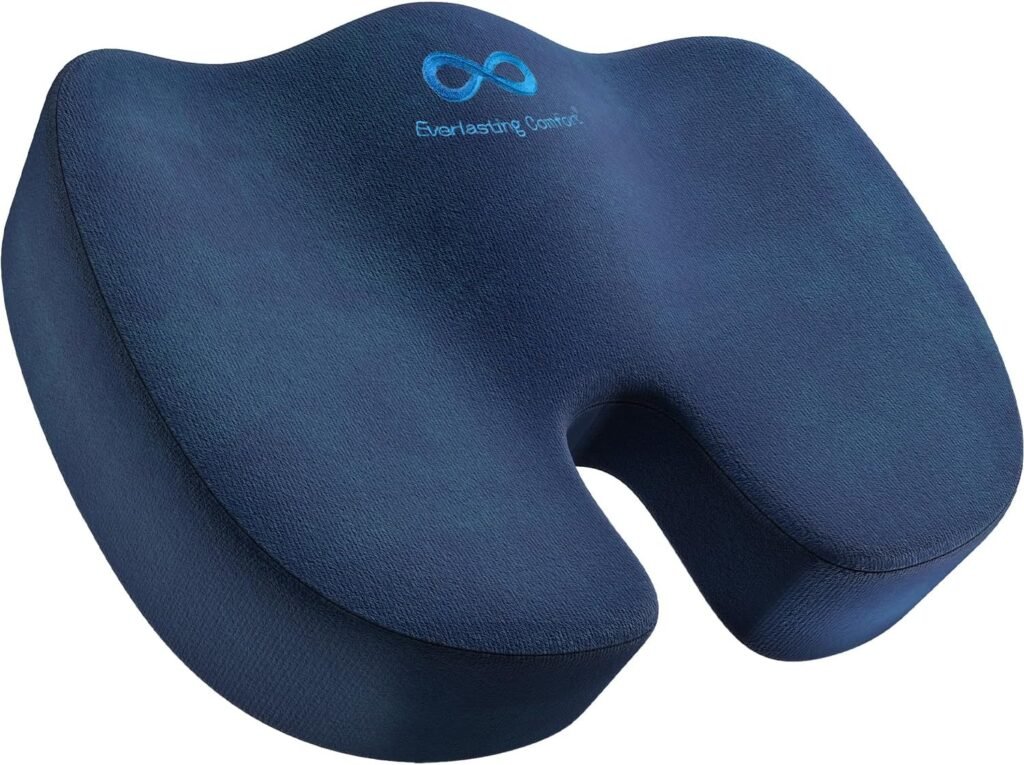
- Use a supportive seat cushion if your chair feels too firm
- Keep your feet supported
- Avoid crossing your legs for long periods
Balanced sitting pressure helps your entire body stay more relaxed during the day.
7. Create a Comfortable Work Environment
Comfort isn’t only about posture; it also depends on the overall setup of your workspace, including how supportive your chair is, how your feet are positioned, the height and distance of your screen, the quality of your lighting, and the temperature and noise level in the room. When all of these elements work together, your body can stay more relaxed, and you’re less likely to experience strain or pain during long hours at your desk.
Your overall environment also plays a role.
Consider improving:
- Lighting to reduce eye strain
- Room temperature for better comfort
- Desk organization to prevent awkward reaching
A calm and comfortable workspace helps your body stay relaxed while you work, supports better posture, and makes it easier to stay focused and productive throughout the day.
Small Changes Make a Big Difference
Office discomfort doesn’t usually come from one single problem. It’s often the result of small habits and setup issues that add up over time. The good news is that improving comfort doesn’t require a complete office overhaul. Adding supportive tools, adjusting your posture, and moving regularly can significantly reduce daily aches and help you feel better during long workdays.
Your body will thank you for it.
Lumbar Support vs. Footrests: What Do You Actually Need?
When it comes to eliminating office discomfort, most people focus on chairs—but the real game-changers are lumbar support cushions and under-desk footrests. Each targets a different part of your body, and choosing the right one depends on your specific pain points.
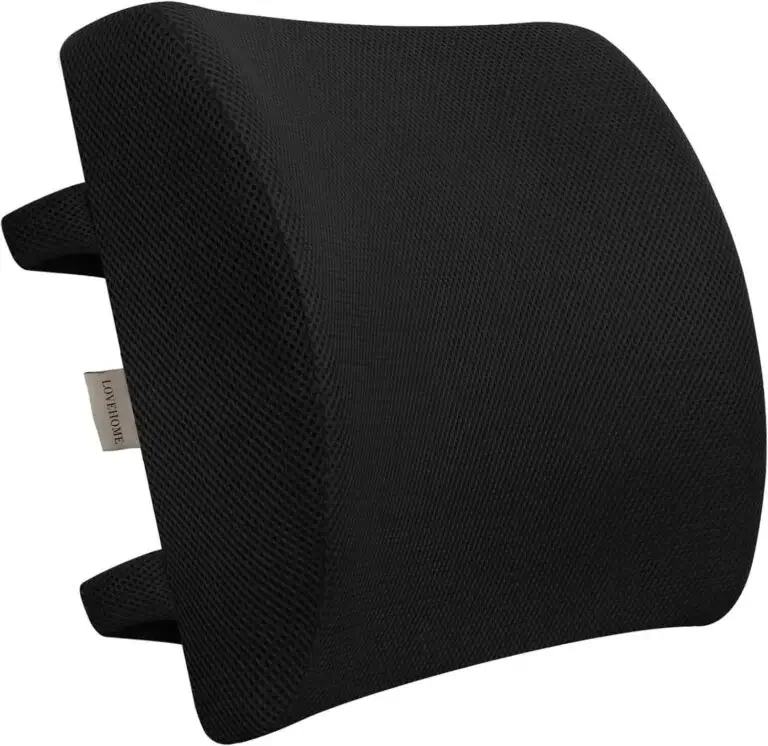
Lumbar Support Cushions (Best for Back Pain)
If you struggle with lower back pain, slouching, or poor posture, a lumbar support cushion is your first upgrade.
Benefits:
- Supports the natural curve of your spine
- Reduces pressure on lower back discs
- Encourages upright posture without fatigue
- Great for long sitting sessions
Best for:
- Office workers with chronic lower back pain
- Anyone sitting 6+ hours daily
- Poor posture correction
👉 Read our full guide: Best Lumbar Support Cushions for Lower Back Pain
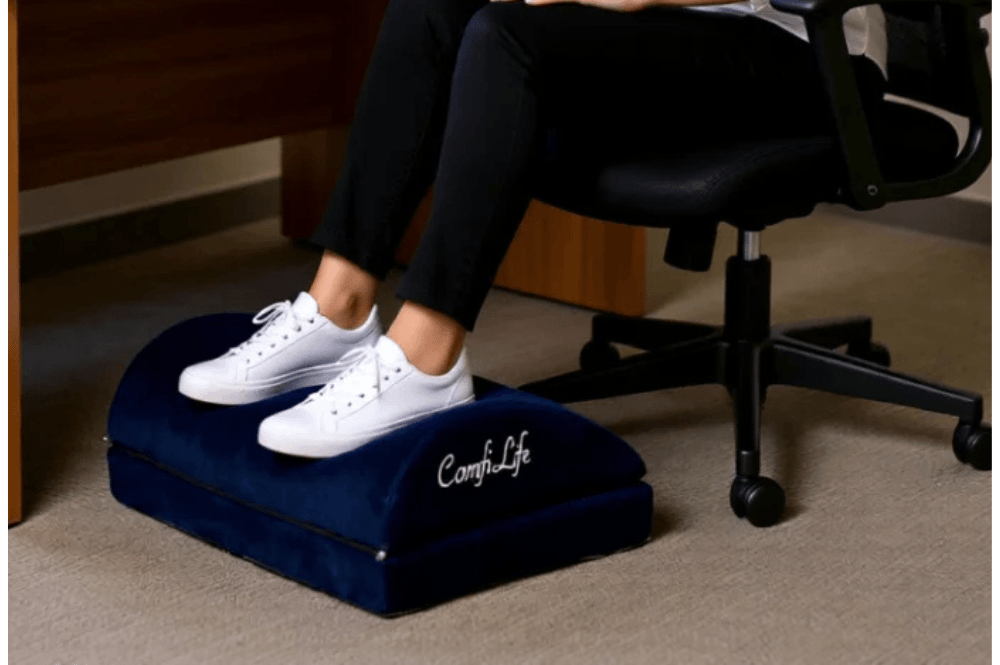
Footrests (Best for Circulation & Leg Comfort)
Footrests are often overlooked—but they’re essential if your feet don’t sit flat or your legs feel strained.
Benefits:
- Improves blood circulation in the legs
- Reduces pressure on knees and thighs
- Keeps hips aligned for better posture
- Helps shorter users achieve a proper sitting position
Best for:
- People with leg numbness or swelling
- Shorter individuals whose feet don’t reach the floor
- Anyone experiencing hip or knee discomfort
👉 See top picks: Best Under-Desk Footrests for Comfort & Circulation
Quick Comparison
| Feature | Lumbar Support Cushion | Footrest |
|---|---|---|
| Targets | Lower back | Legs & feet |
| Main Benefit | Pain relief & posture | Circulation & alignment |
| Ideal For | Back pain sufferers | Leg discomfort / short users |
| Immediate Impact | ⭐⭐⭐⭐⭐ | ⭐⭐⭐⭐ |
| Works Best With | Any chair | Desk setups |
Pro Tip (Boost Comfort Fast)
For maximum relief, don’t choose—combine both.
A lumbar cushion keeps your spine aligned while a footrest stabilizes your lower body. Together, they create a neutral sitting posture, which is the key to eliminating most office-related pain.
Affiliate Disclosure: This post contains affiliate links. If you choose to purchase through them, I may earn a small commission at no additional cost to you. I only recommend products I have personally reviewed and genuinely believe will provide value.